Dave Moore
Updated On : Wed, January 21, 2026Opt Out Guides

ZoomInfo is one of the largest business-to-business (B2B) contact databases in the world, and it contains a staggering amount of professional information about individuals. While it can be useful for businesses, most people feel uncomfortable having their work history, direct phone numbers, and email addresses readily available to strangers.
Taking control of your digital footprint often starts with removing your profile from massive aggregators like this. Our guide walks through the ZoomInfo opt-out process step by step. You will learn what ZoomInfo is, how it collects data, what information is included in a ZoomInfo profile, and how to remove your data manually or with help from Privacy365.
For more guides on protecting your privacy and removing your information from data broker sites, explore our full library of opt-out resources.
ZoomInfo Opt Out: Quick Facts
Before diving into the details, here is what you should know upfront about opting out of ZoomInfo.
Estimated Manual Data Removal Time: The manual process to submit a deletion request usually takes around 20 to 30 minutes, given you have the appropriate email address.
Estimated Data Removal Time With Privacy365: You can submit your request and go through the necessary steps in under 5 minutes.
What You Need to Remove Your Data: You will need access to your professional email address (or the email listed on your profile), the link to your ZoomInfo profile, basic identifying details to verify your request, and your phone number to verify your identity.
Manual removal is possible, but it requires careful steps and follow-through. Many users find the process time-consuming, especially when managing multiple data broker sites.
What We Know About ZoomInfo
ZoomInfo is a subscription-based software as a service (SaaS) company that sells access to its massive database of information about businesses, people, and companies.
Unlike standard people search sites that focus on personal records like marriage licenses or court records, ZoomInfo focuses specifically on corporate data. It creates profiles that include job titles, employment history, company revenue, direct-dial phone numbers, and professional email addresses.
Even though ZoomInfo presents itself as a business utility, the information it collects is ultimately connected to actual people, which is the source of the emerging privacy issues.
How Does ZoomInfo Get Information?
ZoomInfo aggregates data from a variety of sources to build its profiles, including:
- Publicly Available Information: This includes data scraped from company websites, news articles, and government filings.
- Third-Party Providers: They purchase data from other aggregators.
- Community Edition: Users install an app that grants ZoomInfo access to their email contacts and headers, which verifies and updates the database.
Over time, this information is compiled into detailed professional profiles, often without direct consent from the individual listed.
Pro-Tip: Removing your information from every single source manually is time-consuming. Privacy365 simplifies removal across many data brokers at once, saving hours of repetitive work.
Why Opting Out of ZoomInfo Matters
There are several compelling reasons to request the removal of your profile from ZoomInfo’s database. The primary reason is privacy. Your professional life should not necessarily be public domain for anyone willing to pay a subscription fee.
When your direct contact information is available on ZoomInfo, you become a prime target for unsolicited communication. Sales representatives use this data to cold call and cold email you. Recruiters use it to contact you about jobs you may not be interested in.
Furthermore, having your professional email and phone number exposed increases the risk of targeted phishing attacks. Bad actors can use the detailed employment history found in your profile to craft convincing scams that appear to come from legitimate business contacts.
What Information Does ZoomInfo Collect?
ZoomInfo gathers extensive details to create a comprehensive picture of a professional’s career.
- Contact Information: This includes business email addresses, direct office phone numbers, and mobile phone numbers.
- Employment History: It tracks current and past job titles, department roles, and management levels.
- Company Details: Data regarding the companies you work for, including revenue, employee count, and technologies used.
- Educational Background: Information about colleges or universities attended and degrees earned.
- Location Data: The general metropolitan area or specific office location where you work.
When aggregated, these data points form a highly actionable profile, which presents a risk of misuse if not properly monitored.
ZoomInfo Opt Out: How to Remove Your Information
You have two main options for getting your data off the platform. You can either handle the process yourself through their online portal, or you can use an automated service like Privacy365 to handle it for you.
The manual method requires you to navigate the ZoomInfo privacy center, claim your profile, and request deletion. It is free but requires you to share your email address and phone number with them for verification. In contrast, Privacy365 scans for your data and automatically sends opt-out requests. It is faster and ensures your data stays off the site if it repopulates later.
How to Opt Out of ZoomInfo Manually
If you choose to do this manually, you must follow the official procedure outlined in their Trust Center. Please note that you must have access to the email address listed on your profile to verify the request.
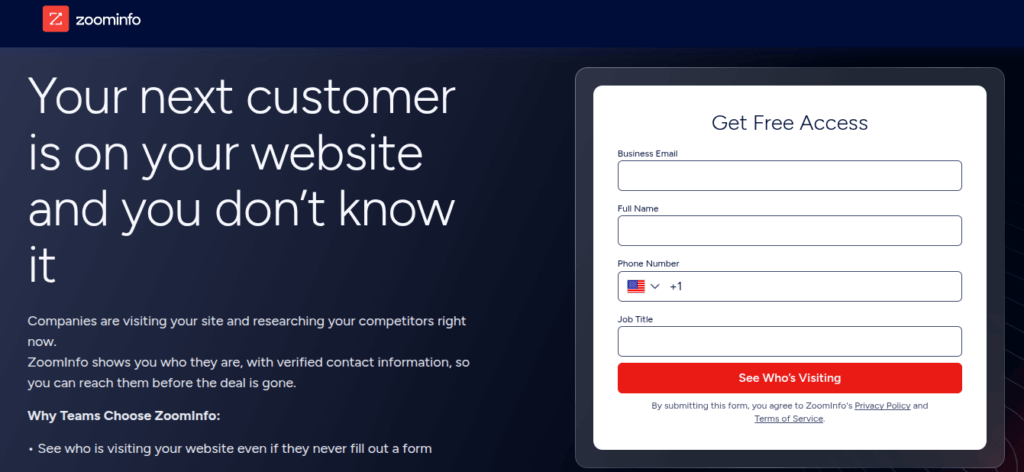
- Navigate to the Trust Center >> Your Privacy: Go to the official ZoomInfo privacy policy page. It contains all the information you need to request removal of your data.
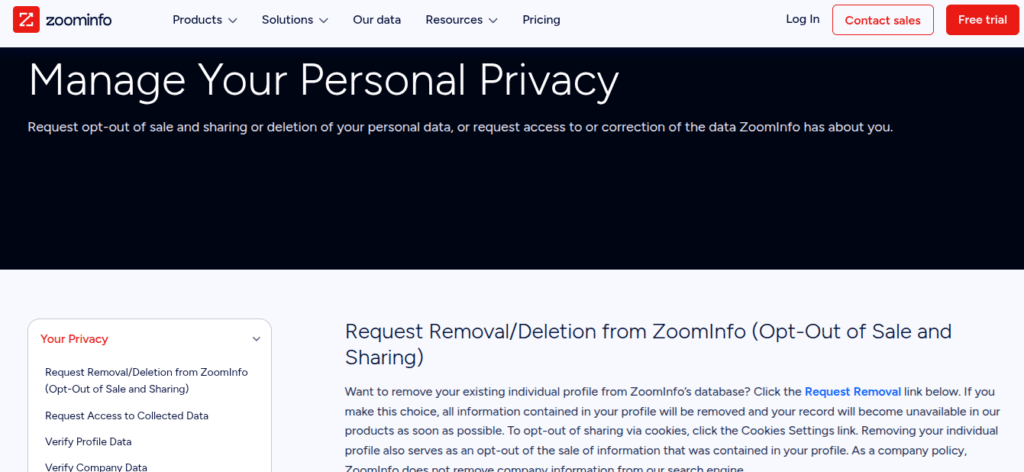
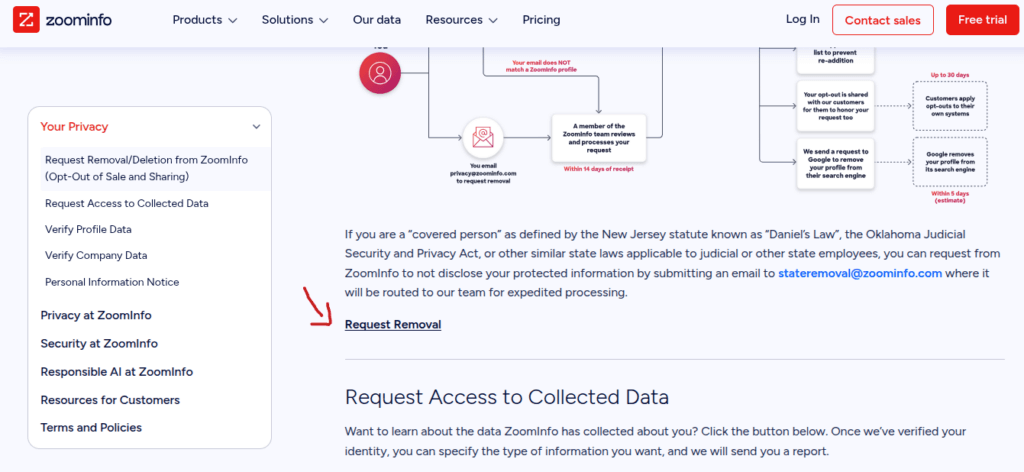
- Locate the Removal Form: Click on the “Request Removal” link. This will redirect you to the profile verification page, where you must enter the required details.
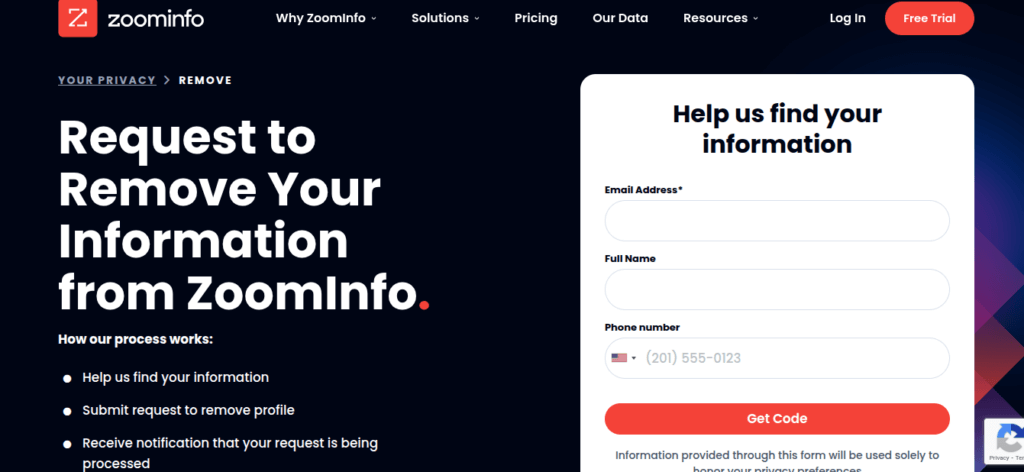
- Enter Your Information: Provide the necessary details, including your email address, full name, and phone number to receive the verification code.
Note: It is important to use the specific email they have on file. If you don’t have the appropriate email linked to your profile, you will need to send an email to privacy@zoominfo.com. A team member from ZoomInfo will then review the details (which takes around 14 days) and process your request manually.
Once you enter your information on the “Request Removal” page, you can:
- Verify Your Identity: After submitting your email, ZoomInfo will send a verification code or a magic link to your inbox. You must click the verification link or the code to continue the process.
- Manage Your Profile: Once verified, you will be taken to a page that displays the profile associated with your email. You should see options to manage the visibility of your data. Select the option to “Remove this profile” or “Delete my data.”
- Confirm the Request: Submit the final confirmation. You should receive a confirmation email acknowledging your request. ZoomInfo typically processes such requests within a few days.
After you complete all of the above steps, ZoomInfo will remove your profile from their subscription products and public website and add your details to their suppression list to prevent readdition. They will also send a request to Google to remove your profile from their search engine.
Take the Next Step in Protecting Your Data With Privacy 365
Opting out of ZoomInfo is a strong first move, but it should not be the last. Dozens of similar services collect and distribute professional data in the same way.
To achieve true digital privacy, you must address these other sources as well. We have comprehensive guides to help you remove your data from other major aggregators. You can start by checking your exposure with our free scan.
Opting Out of ZoomInfo Is Just the Beginning
Completing a ZoomInfo opt-out helps reduce unwanted exposure, but data brokers rarely operate alone. Your professional footprint often exists across multiple platforms at once.
Privacy365 makes it easier to remove your information from many services simultaneously, rather than repeating the same manual steps over and over. It saves time, reduces stress, and helps keep your data from resurfacing later.
Frequently Asked Questions About ZoomInfo Opt Out
Before we wrap up, here are a few common questions people have after starting the ZoomInfo opt-out process and reviewing their privacy options.
Is ZoomInfo Legal to Use?
Yes. ZoomInfo operates legally by collecting and aggregating publicly available and licensed data. However, legality does not mean you must participate, and opting out is your right.
Will My Data Come Back After Opting Out?
It can. Despite adding your data to its suppressed list, ZoomInfo updates its database regularly, which is why ongoing monitoring is important. Manual opt-outs may need to be repeated.
Can I Opt Out Without a Work Email?
Yes, if you don’t have the email address that is linked to your profile, you can send an email to privacy@zoominfo.com for a manual review. This can take up to 14 days before your request is processed further.
Does Opting Out Stop All Spam Calls?
Removing your profile will stop sales calls from people who use ZoomInfo to find numbers. However, it will not stop spam calls from other sources or robocalls. You need to remove your data from other people search sites to see a significant reduction in overall spam.
Why Privacy365 Is the Smarter Way to Opt Out
Privacy365 removes the friction from protecting your personal and professional information. Instead of juggling forms and follow-ups, you can manage everything from one place. With us, you do not have to hunt down every site manually or worry about reappearing profiles. Our platform continuously works to keep your data off broker sites like ZoomInfo and dozens more.
Take control of your digital footprint easily. Sign up for Privacy365 today and simplify the process.